
English
English


Views: 0 Author: Site Editor Publish Time: 2026-08-19 Origin: Site


Educational institutions and enterprise facilities are shifting away from basic digital projection. They now demand highly interactive, multi-user digital surfaces. Facility managers and technology directors face a complex procurement decision. They must determine whether a standard interactive flat panel meets their curriculum needs. Alternatively, complex spatial requirements might demand a larger, AI-integrated surface. Making the wrong choice leads to underutilized hardware or restrictive teaching environments.
When evaluating an AI interactive wall vs smart board, decision-makers must look beyond basic specifications. They must analyze spatial constraints, pedagogical goals, and infrastructure readiness. We will explore the technical distinctions between traditional smart boards and emerging AI interactive walls. This guide establishes a clear framework to evaluate both solutions. You will learn how to match the right display technology to your specific environmental requirements.
Categorical Distinction: "Smart Board" is technically a trademarked brand often used as a catch-all term for interactive whiteboards designed for standard instruction, whereas an AI interactive wall represents a larger, modular, sensor-rich surface built for immersive, multi-user environments.
Use-Case Alignment: Smart boards are optimal for standard lecture-based environments; AI interactive walls are engineered for specialized environments like innovation labs, maker spaces, and high-stakes demonstration centers.
Infrastructure Demands: AI interactive walls require significantly higher baseline infrastructure, including specialized structural mounting, advanced edge-computing hardware, and higher network bandwidth compared to plug-and-play smart boards.
Vendor Evaluation: Selecting the right solution requires rigorous vetting of the AI education equipment supplier, focusing on long-term software support, hardware warranties, and integration with existing Learning Management Systems (LMS).
The term "Smart Board" suffers from the Kleenex effect. SMART Board is a specific trademarked brand. However, administrators universally use the term to describe the broader category of interactive whiteboards. These panels serve as the standard interactive display for schools. They provide a reliable, all-in-one solution for daily instruction.
Standard smart boards rely on infrared (IR) or projected capacitive (PCAP) touch technology. Infrared frames detect breaks in light beams along the bezel to register touch coordinates. Capacitive screens detect the electrical current from a human finger, similar to a smartphone. Both methods allow intuitive stylus and finger annotation. Modern units include built-in operating systems. These are typically Android-based Systems on a Chip (SoC). They offer native screen-sharing capabilities, whiteboarding apps, and web browsers directly out of the box without needing an external computer.
Many models also feature an Open Pluggable Specification (OPS) slot. This allows technicians to slide a full Windows PC directly into the chassis of the display. This modularity extends the life of the panel, as the computing power can be upgraded independently of the glass. However, these displays have strict physical limitations. Manufacturers produce them in fixed diagonal sizes. The most common sizes are 65, 75, and 86 inches. This fixed footprint restricts simultaneous multi-user collaboration. Three or four students working at the board will physically crowd each other. Furthermore, traditional smart boards lack native spatial awareness. They only respond to direct physical contact with the glass surface.
An AI interactive wall represents a fundamental shift in display architecture. It is a scalable, modular display system. Manufacturers build these walls using advanced direct-view LED matrices or ultra-narrow bezel LCD arrays. They integrate computer vision, spatial sensors, and AI-driven analytics directly into the environment.
These systems leverage edge computing to process complex environmental data. They do not rely solely on physical touch. Instead, they utilize gesture recognition and skeletal tracking. External camera arrays, often utilizing LiDAR or depth-sensing technology, monitor the space in front of the wall. The system tracks physical objects and responds to environmental cues. Generative AI interfaces can adapt the displayed content based on user proximity and movement. If a user steps closer to the wall, the text might enlarge automatically. If they wave their hand, the system might advance to the next slide or rotate a 3D model.
The form factor differs drastically from standard panels. AI interactive walls are custom-scaled to fit specific architectural spaces. They often cover entire walls from floor to ceiling. The bezel-less design creates a seamless visual canvas. This allows dozens of users to interact with the surface simultaneously without physical interference. The underlying hardware consists of hundreds of individual LED cabinets bolted together, connected by a complex web of data cables and power lines feeding back to a central video processor.
Smart boards force institutions to design rooms around a fixed display. The standard 16:9 aspect ratio dictates the viewing angles and seating arrangements. You cannot expand a 75-inch smart board. If a room requires a larger viewing area, you must purchase a completely separate unit. This fixed nature simplifies manufacturing but limits architectural flexibility.
AI interactive walls offer modular scalability. Technicians assemble them using individual LED cabinets or tiles. You can configure these tiles into custom aspect ratios, such as ultra-wide 32:9 formats. This modularity allows the display to wrap around corners or integrate into curved architectural features. The footprint scales precisely to the dimensions of the facility. Integrators can build a ribbon display that stretches across an entire lecture hall.
Mounting requirements highlight a major divergence in infrastructure. Smart boards offer flexible deployment options. You can mount them on heavy-duty mobile floor stands. You can easily roll them between classrooms. Wall mounting requires standard VESA brackets and basic plywood blocking inside the drywall. AI interactive walls demand permanent, structural integration. They require reinforced backing, precise alignment framing (often using steel unistrut), and dedicated ventilation pathways to manage the heat generated by thousands of LEDs.
Visual fidelity varies significantly between the two technologies. Smart boards typically utilize 4K LCD panels with anti-glare glass. They provide excellent resolution for close-up text annotation. AI walls using direct-view LED technology offer superior brightness. They can push thousands of nits, making them visible in sunlit atriums. However, LED walls require careful consideration of pixel pitch. A smaller pixel pitch (e.g., 1.2mm) is necessary if users will stand close to the wall, which significantly increases the hardware cost.
Standard smart boards max out at 10 to 20 points of simultaneous touch. This capacity easily handles a teacher and one or two students. The touch response is immediate and accurate for writing. However, the system cannot distinguish between different users. It simply registers multiple coordinate points on a 2D plane. If two students are drawing, the board does not know who is holding the red pen and who is holding the blue pen unless specific proprietary styluses are used.
AI walls introduce spatial computing to the environment. They process data in three dimensions. Depth cameras map the room and generate a real-time point cloud. The system tracks skeletal joints and multi-person gestures. Users can manipulate 3D models by moving their hands in the air. The system can recognize physical objects held by users via external camera arrays. It can tag these objects and display contextual information on the wall. For example, if a student holds up a specific robotic component, the wall can instantly display its wiring diagram.
Calibration realities have evolved for both systems. Legacy projector-based smart boards required frequent manual alignment. Teachers constantly tapped crosshairs to realign the projector with the touch grid. Modern flat-panel smart boards require zero calibration. The touch overlay is permanently bonded to the display glass at the factory. AI interactive walls utilize automated, software-driven spatial calibration. The system continuously maps the room geometry. It automatically adjusts sensor tracking to account for changes in lighting or physical obstacles.
Comparison of Display Hardware Specifications
Specification Category | Traditional Smart Board | AI Interactive Wall |
|---|---|---|
Display Architecture | Fixed LCD Panel (65"-86" diagonal) | Modular LED/LCD Array (Custom dimensions) |
Input Methodology | IR or PCAP Touch (10-20 points) | Spatial Sensors, Gesture, LiDAR, Touch |
Mounting Infrastructure | Mobile Stand or VESA Wall Mount | Permanent Structural Steel Integration |
Calibration Process | Zero Calibration (Factory Bonded) | Automated Spatial Mapping via Software |
User Tracking Capabilities | None (2D coordinate mapping only) | Skeletal Joint Tracking and Object Recognition |
Computing Hardware | Internal Android SoC or OPS PC | External Edge-Computing Server Racks |
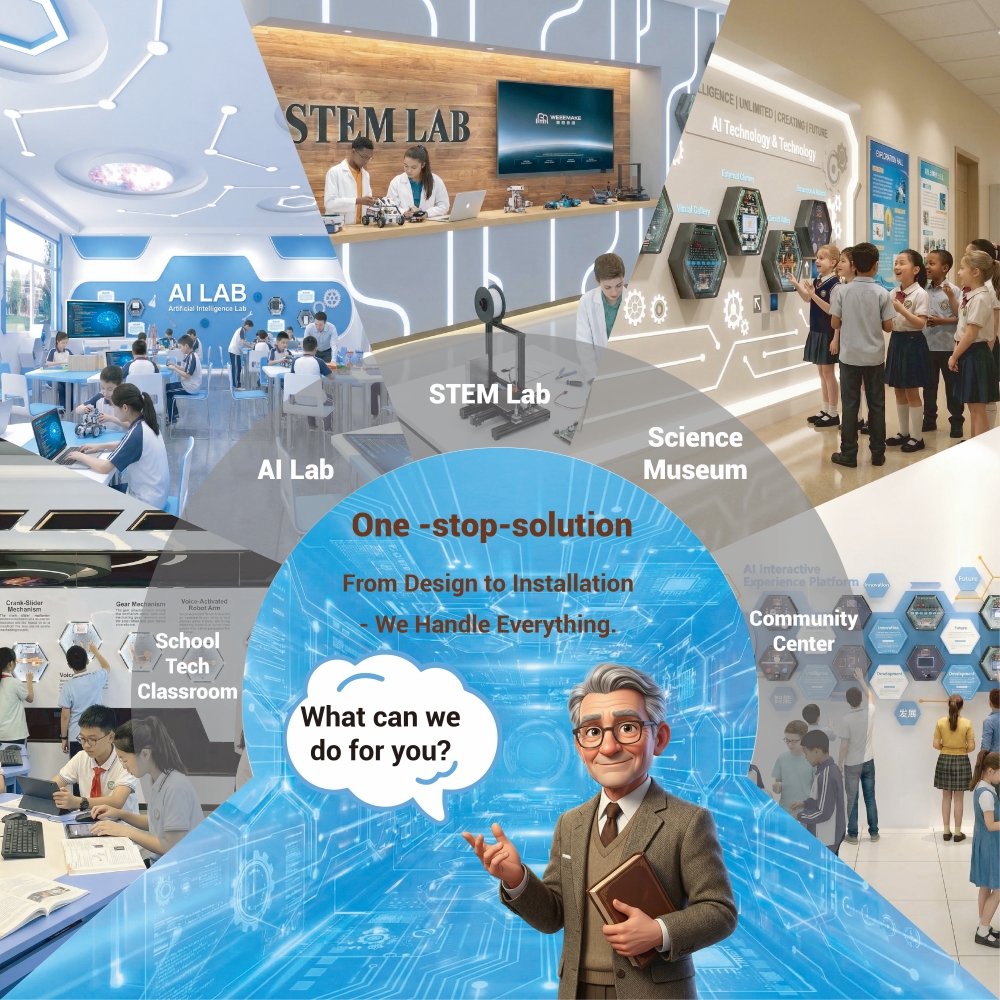
Standard interactive flat panels remain the most practical choice for traditional pedagogy. K-12 classrooms and standard higher-education lecture halls benefit immensely from this technology. The predictability of a smart board aligns perfectly with daily teaching workflows. Educators need reliable, instant access to lesson materials without troubleshooting complex sensor arrays.
Durability is a primary concern in high-traffic classrooms. Smart boards feature thick, tempered, anti-friction glass, often rated at 9H hardness. They withstand aggressive tapping, accidental impacts from backpacks, and daily cleaning with harsh chemicals. The intuitive ease of use is unmatched. Teachers can pick up a passive stylus and begin annotating immediately. The learning curve is virtually nonexistent for basic functions.
These panels integrate seamlessly with standard lesson planning software. They support Google Workspace, Microsoft 365, and proprietary whiteboarding ecosystems. Teachers can cast their laptop screens wirelessly using protocols like Miracast or AirPlay. They can save annotated notes directly to the cloud. This straightforward workflow keeps the focus on instruction rather than managing the hardware.
Specialized environments demand specialized hardware. An AI maker space display transforms how students interact with complex data. Innovation labs focus on engineering, robotics, and advanced computer science. A standard smart board restricts the collaborative potential of these subjects due to its limited size and 2D input constraints.
AI interactive walls excel in 3D model manipulation. Engineering students can load massive CAD files onto the canvas. Multiple students can step up to the wall simultaneously. One student can rotate the model using hand gestures. Another can pull up material specifications on a different sector of the wall. The spatial sensors track their distinct movements independently, preventing their inputs from conflicting.
Collaborative coding and simulation testing benefit from the expanded real estate. Robotics teams can run virtual simulations on one half of the wall while adjusting Python code on the other. The multi-disciplinary collaboration is seamless. The sheer size of the display allows different data sets to exist side-by-side. Students do not have to constantly minimize windows or switch inputs, which accelerates the prototyping process.
Executive briefing centers require high-impact presentations. Standard panels often fail to deliver the necessary visual scale. An AI interactive demonstration solution serves as the centerpiece of institutional showcases. These environments demand seamless integration of live data feeds and immersive visuals to communicate complex organizational capabilities.
Presenters can utilize interactive AI agents during their pitches. The wall can display real-time global supply chain data or live network security maps. As the presenter walks across the stage, the wall's sensors track their position. The data visualizations can automatically follow the presenter, expanding relevant charts as they point to specific regions. This dynamic interaction keeps audiences engaged. It demonstrates a high level of technological sophistication to visiting stakeholders and potential partners.
Procurement teams must understand the vast difference in initial costs. Smart boards represent a predictable, commoditized expense. You purchase the panel, a wall mount, and perhaps an upgraded OPS computer. The installation takes two technicians about an hour. The total capital expenditure is easily forecasted across hundreds of classrooms.
AI interactive walls require custom quoting and extensive site preparation. The hardware costs include the LED cabinets, sending boxes, receiving cards, and edge-computing servers. Installation and infrastructure costs often rival the price of the display itself. Contractors must install structural wall reinforcement to bear the heavy load. Electricians must pull dedicated 220V power circuits. HVAC technicians must calculate the heat load and install specialized cooling to prevent the server racks and LED modules from overheating.
Software licensing models differ significantly. Smart boards usually include basic whiteboarding software for free, with optional subscriptions for advanced cloud features. AI interactive walls rely on proprietary spatial computing platforms. These platforms often require annual licensing fees for the AI analytics engines, gesture recognition libraries, and ongoing algorithm updates.
Maintenance lifecycles dictate long-term operational costs. When a smart board fails, the entire unit usually requires replacement. You unmount the broken 75-inch panel and hang a new one. AI interactive walls are highly serviceable. If a cluster of pixels dies, a technician uses a magnetic suction tool to pull that specific LED module from the front of the wall. They snap a replacement module into place in minutes. However, you must purchase spare modules from the exact same manufacturing batch to ensure color and brightness matching.
Procuring advanced display technology requires a reliable partnership. You must rigorously vet your AI education equipment supplier. Complex hardware requires robust post-installation support. A standard manufacturer warranty is insufficient for custom-built interactive walls that integrate multiple third-party sensors.
Define critical Service Level Agreement (SLA) requirements before finalizing any contract. You need guaranteed response times for hardware failures. Ask about the availability of replacement LED modules and edge-computing components. Ensure the supplier maintains a local inventory of critical parts. Clarify who is responsible for software updates, sensor recalibration, and API maintenance.
Evaluate suppliers based on their software ecosystems. Avoid complete vendor lock-in whenever possible. Proprietary software platforms can restrict your ability to integrate future tools. Look for suppliers that offer open-API capabilities. Your new display must communicate with your existing Learning Management System. Open ecosystems allow your IT department to build custom integrations. This flexibility extends the usable life of the hardware.
The most advanced hardware is useless if staff refuse to use it. The complexity trap is a significant risk with AI interactive walls. A standard smart board feels familiar. It mimics a traditional whiteboard. An AI wall introduces a steep learning curve. Gestural controls, spatial interfaces, and multi-layered software can intimidate users who are accustomed to simple touch interfaces.
Mitigate this risk through a phased training approach. Do not expect staff to master the system on day one. Start with basic screen sharing and touch annotation. Gradually introduce advanced spatial features in subsequent training sessions. Identify internal champions within your organization. Train these tech-savvy educators or managers extensively. They will drive adoption by assisting their peers, troubleshooting minor issues, and demonstrating practical use cases in daily workflows.
AI interactive walls place heavy demands on your IT infrastructure. Cloud-connected AI features require substantial network bandwidth. Latency ruins the spatial computing experience. If a user gestures and the wall lags for two seconds, the illusion breaks. Ensure your network switches and access points can handle continuous, high-volume data streams. You will likely need dedicated Cat6a cabling and 10Gbps network switches.
Data privacy presents a critical compliance risk. AI walls utilize camera arrays and microphones. They process skeletal data and facial recognition metrics. This triggers strict regulatory requirements under FERPA or GDPR. Address these risks by configuring local-processing alternatives. Ensure the edge-computing servers process sensor data locally without transmitting raw video to the cloud. Require the supplier to provide clear documentation on data anonymization protocols. Place the AI wall on an isolated VLAN so camera data does not traverse the main student or corporate network.
Choosing between an AI interactive wall and a smart board is not about finding the universally superior technology. It is about aligning hardware capabilities with specific spatial realities and pedagogical requirements. Smart boards provide reliable, standardized interactivity for daily instruction. AI interactive walls deliver immersive, multi-user experiences for specialized environments.
Take the following steps to finalize your procurement strategy:
Conduct a comprehensive spatial audit of your facility to determine structural mounting capacities and electrical infrastructure readiness.
Define the primary daily use cases for the display, separating standard lecture needs from advanced 3D simulation requirements.
Audit your current network bandwidth and switch capacities to ensure they can support edge-computing data streams without latency.
Request on-site, proof-of-concept demonstrations from shortlisted vendors to test user interface responsiveness and gesture accuracy.
Review data privacy compliance frameworks with your IT security team before authorizing any camera-based tracking systems on your network.
A: An AI interactive wall features modular scalability and utilizes spatial AI sensors for gesture and object tracking. A smart board is a fixed-size touch panel designed for direct physical annotation. Note that "Smart Board" is a specific brand often used as a generic term for interactive whiteboards.
A: While technically possible, it is generally impractical. AI walls lack the mobility of smart boards on floor stands. They require permanent structural mounting and represent massive overkill for standard daily lesson plans and basic whiteboarding tasks. Smart boards remain the most efficient choice for standard instruction.
A: These solutions require significant infrastructure upgrades. You need structural wall reinforcement, such as plywood backing or steel unistrut, to bear the weight of the LED cabinets. They also require dedicated power circuits, specialized ventilation for cooling, and local edge-computing servers to process sensor data.
A: No. Modern smart boards are constantly evolving. They feature zero-calibration bonded glass, integrated Android operating systems, and seamless cloud connectivity. They remain the undisputed standard interactive display for daily school instruction due to their durability, ease of use, and straightforward integration with existing teaching workflows.
A: Focus on post-installation support and software interoperability. Demand strict Service Level Agreements for hardware replacement. Ensure their software offers open-API access to prevent ecosystem lock-in. Verify their warranty terms cover individual LED module replacement and that they maintain a local inventory of critical spare parts.
A: Yes. To fully utilize spatial sensors, you need specialized collaborative platforms. Standard whiteboard apps cannot process 3D rendering, skeletal tracking, or multi-user gesture inputs. You will need software specifically designed for 3D manipulation, advanced simulation, and real-time data visualization to maximize the hardware's capabilities.


