
English
English


Views: 0 Author: Site Editor Publish Time: 2026-07-06 Origin: Site


School districts and educational institutions face a persistent challenge today. They must translate abstract STEAM concepts into active, kinesthetic learning experiences. These experiences need to truly hold students' attention. Traditional smartboards and static manipulatives often fail here. They struggle to bridge the gap between digital fluency and physical engagement. Students often experience passive consumption rather than conducting active experimentation. They sit and watch instead of moving and doing.
An AI interactive wall for STEAM learning transforms passive spaces into highly responsive environments. By mapping human movement to curriculum-aligned feedback, these systems offer a verifiable way to increase student participation. Institutions must evaluate hardware durability, software pedagogy, and deployment realities carefully. You will learn how spatial technologies foster collaborative problem-solving. We will explore core features driving these innovations. You will also discover how to successfully implement these immersive setups in your shared labs.
Active vs. Passive Engagement: AI interactive walls shift STEAM learning from screen-based observation to full-body kinesthetic participation.
Core Technological Enablers: Features like AI Human Posture Recognition and AI Palm Recognition And Interaction drive touchless, spatial learning without requiring wearable sensors.
Cross-Disciplinary Application: Tools like the Super Air Piano effectively integrate the "Arts" into STEM, satisfying multidisciplinary curriculum requirements.
Evaluation & ROI: Successful adoption requires assessing curriculum alignment, hardware durability, and teacher onboarding, not just technological novelty.
Implementation Realities: Long-term success depends on proper spatial planning (lighting, wall space) and minimizing friction for educators.
Schools heavily utilize 1:1 device programs. Yet, tablet fatigue remains a significant issue across classrooms. Students spend hours hunched over individual screens. Legacy interactive whiteboards create different bottlenecks. They usually support only one or two concurrent users. One student interacts while the rest passively observe. This dynamic severely limits authentic collaboration during science and math modules. True engagement requires a structural shift. We must move away from single-user constraints.
Institutional buyers need clear success criteria. They look for measurable increases in collaborative problem-solving. Administrators want to see reduced time-off-task during complex lessons. They also expect higher utilization rates of shared STEAM labs and makerspaces. An upgraded environment must justify its footprint. It should draw teachers in organically. A successful room upgrade turns reluctant participants into active explorers. Measurable engagement metrics validate the initial campus investment.
Spatial computing offers a scalable alternative. Virtual reality (VR) headsets provide deep immersion. However, they isolate learners into individual digital bubbles. Headsets also introduce hygiene concerns in high-traffic schools. Spatial projection systems solve these exact problems. They offer shared, collaborative experiences. Multiple students can interact simultaneously in the same physical space. They communicate naturally while manipulating digital overlays. This approach democratizes participation instantly.
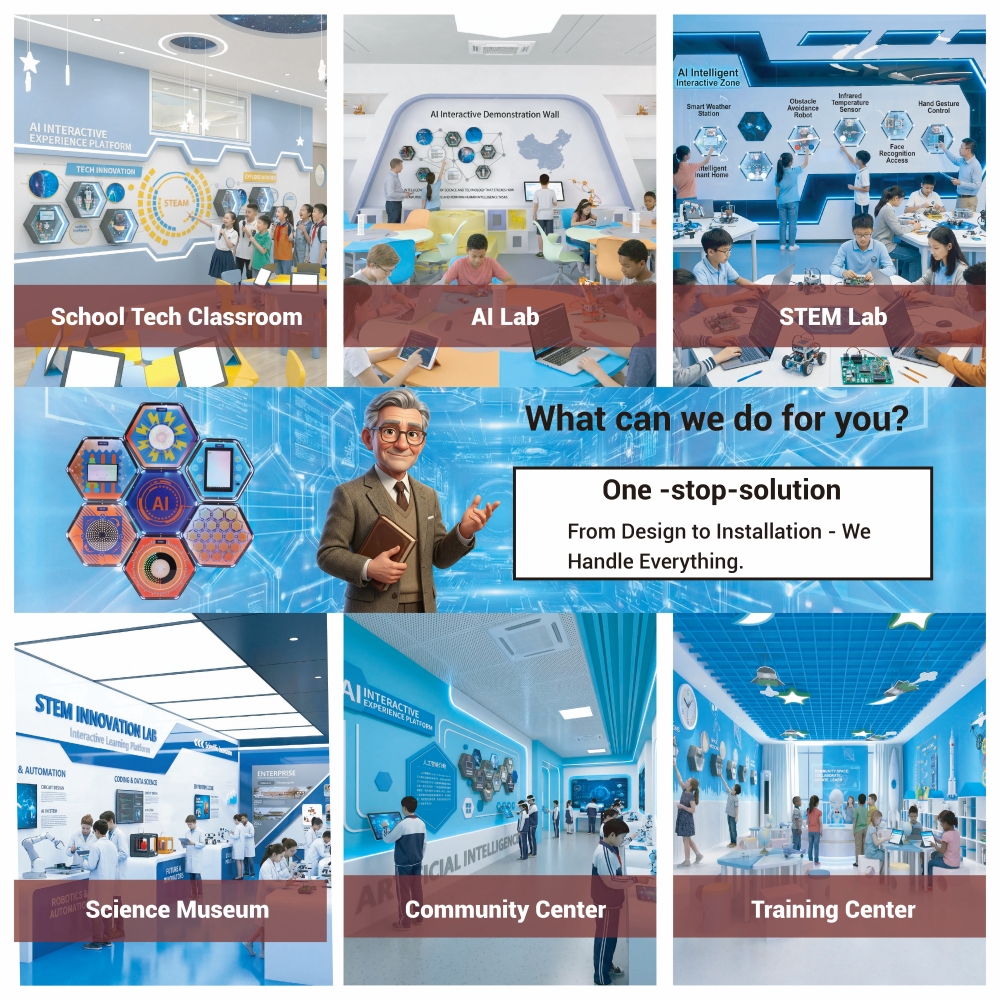
We need to understand the underlying mechanics. How do these immersive systems track movement so accurately? The technology relies on sophisticated sensors and localized processing.
The system uses advanced computer vision. It tracks skeletal movement in real-time. Students do not wear physical sensors or cumbersome suits. AI Human Posture Recognition captures full-body dynamics instantly. Depth cameras map primary joints continuously. The software translates these physical coordinates into digital actions. It understands standing, crouching, reaching, and leaning seamlessly.
This capability fundamentally supports kinesthetic learning models. Students can physically mirror geometric shapes. They can model physics concepts like trajectory and velocity using their bodies. When teaching angles, a student stretches their arms to form a precise 90-degree corner. The wall provides immediate visual validation. This physical mapping cements abstract mathematical concepts deeply into their memory.
Fine motor skills require granular tracking. Depth cameras map spatial coordinates at a micro level. AI Palm Recognition And Interaction enables precise gesture control. Students manipulate digital objects using natural hand movements. They can pinch to zoom, swipe to rotate, or grab virtual components. The technology reads individual finger positioning accurately.
This touchless interface provides a significant hygienic advantage. High-traffic school environments benefit greatly from fewer shared touchpoints. Dozens of students can manipulate the same digital interface daily. No one touches a physical screen. Furthermore, palm recognition develops spatial awareness. Students practice precision and control while assembling virtual molecules or engineering simple machines.
Skeptics often worry about network dependency. Fortunately, modern setups rely heavily on edge-processing software. High-resolution depth cameras capture movement locally. Specialized processors analyze this data directly on the device. Projection or LED hardware then displays the immediate feedback. The core experience rarely relies on continuous internet connectivity.
This local processing ensures minimal latency. System lag destroys the illusion of spatial computing. Edge-based architecture maintains a seamless feedback loop. You do not need massive bandwidth upgrades to run these modules. Schools can deploy them safely in areas facing spotty Wi-Fi coverage.
Common mistakes to avoid regarding system architecture include:
Assuming you need enterprise-level cloud servers for daily operation.
Placing the processing unit inside poorly ventilated cabinets.
Ignoring the minimum distance requirements for depth camera calibration.
Educators frequently struggle to blend the Arts with STEM authentically. Often, the "A" in STEAM feels like an afterthought. Teachers might simply ask students to color a math worksheet. Spatial interfaces change this paradigm entirely. They merge creative expression with rigorous computational thinking.
True arts integration requires structural alignment. You must combine artistic disciplines with scientific inquiry. Interactive walls provide the perfect canvas. Visual design and audio engineering become tools for understanding physics and code. We can measure spatial harmony mathematically. Students see the direct correlation between algorithmic input and creative output.
Consider the Super Air Piano application. This specific tool utilizes advanced palm and posture tracking. It maps specific spatial coordinates to musical notes. Students trigger visual and auditory feedback through physical movement. They step into specific zones to activate bass notes. They use hand gestures to modulate treble frequencies.
This demonstrates immense educational value. Students learn acoustics and pitch natively. They hear frequency changes dynamically. More importantly, they grasp fundamental coding logic. They explore if/then parameters intuitively. If a hand crosses a specific horizontal plane, then a specific note plays. Composing a song becomes an active exercise in mathematical sequencing and algorithmic thinking.
Educators can scale this activity across grades. Early learners focus on gross motor skills and simple melodies. Older students can reprogram the spatial triggers. They adjust the variables to create entirely new scales or instrument groupings.
Students can collaboratively manipulate simulated physics environments. They use body movements to alter fluid dynamics. They test gravity models by dropping virtual objects. The wall responds to their physical input instantly. Complex math becomes a tangible, shared experience. Abstract theories translate into visible cause-and-effect scenarios.
In a biology module, groups might simulate blood flow. One student acts as a valve restricting passage. The software calculates the resulting pressure increase dynamically. The visual feedback reinforces the physiological concept. Active participation replaces passive reading.
The chart below outlines how physical interactions align across various subject areas.
Subject Area | Physical Interaction Method | Target Learning Outcome |
|---|---|---|
Physics | Body posture angle mapping | Understanding center of gravity and rotational momentum |
Computer Science | Sequencing spatial gestures | Mastering if/then logic and basic algorithmic flow |
Music / Arts | Palm-based coordinate triggering | Connecting spatial dimensions to acoustic frequencies |
Biology | Group movement tracking | Simulating cellular mitosis or population density models |
District leaders must evaluate software based on pedagogical validity. Gamified flashiness fades quickly after the first month. Look for strict NGSS (Next Generation Science Standards) alignment. Interactive modules should support specific, measurable learning objectives. You want tools driving deep inquiry. Avoid applications acting solely as digital playgrounds.
Hardware durability matters immensely in schools. Traditional touchscreens utilize large glass panels. They break easily in active classrooms. Replacing shattered interactive panels drains department budgets rapidly. Projection-based systems eliminate this risk entirely.
The projection surface handles physical impact safely. You project onto standard drywall or durable whiteboard surfaces. Students can accidentally bump the wall without causing damage. Maintenance focuses strictly on sensor arrays and projector bulbs. These components sit safely mounted out of reach on the ceiling.
Data privacy remains non-negotiable. Schools must comply strictly with COPPA, FERPA, and GDPR-K. Interactive systems utilizing cameras often trigger parental concerns. You must address these fears proactively. Edge-based AI processing offers inherent security advantages. It analyzes movements locally.
The system never records raw video. It does not store or transmit personally identifiable biometric data. It converts physical movement into anonymous mathematical vectors instantly. You can confidently assure stakeholders their children remain protected. Transparent privacy policies separate serious vendors from unproven startups.
Teacher adoption dictates long-term scalability. Intuitive user interfaces prevent technology abandonment. Educators face immense time pressure daily. They cannot spend thirty minutes troubleshooting hardware. Pre-built lesson templates are critical for early success. Teachers need reliable tools they can deploy in five minutes.
Complex setups turn expensive investments into dusty hardware. Look for platforms offering comprehensive educator dashboards. These dashboards should provide easy content switching. When teachers feel empowered, utilization rates soar.
Proper planning guarantees smooth deployment. You must consider spatial constraints before purchasing equipment. Ignoring infrastructure requirements leads to frustrating user experiences.
Room lighting control is critical. High ambient light washes out projection clarity. Install blackout blinds if the room features large windows. You need adequate wall dimensions. A standard interactive zone requires roughly ten to twelve feet of horizontal space. The wall surface must remain flat and unblemished.
Ensure enough floor space for safe student movement. Remove tripping hazards like loose rugs or scattered desks. Calibration stability relies on secure mounting. Install cameras and projectors on rigid ceiling mounts. Vibrations from HVAC units can disrupt tracking accuracy if mounts remain loose.
We highly recommend a pilot-to-scale approach. Do not install units in every classroom immediately. Rapid, widespread deployment usually overwhelms IT support staff. Start in a centralized library first. Alternatively, use a dedicated makerspace.
Gather feedback from a smaller user group. Refine your usage patterns and scheduling logistics. Once the pilot proves successful, expand the deployment. This phased strategy builds anticipation and ensures high-quality support.
Follow these essential rollout phases:
Conduct a thorough spatial assessment of your makerspace or library.
Install a single pilot unit to test lighting, acoustics, and calibration.
Train a small cohort of champion teachers using peer-led modeling.
Track utilization metrics for one semester before approving broader expansion.
Professional development requires a realistic schedule. Avoid relying solely on vendor-led technical manuals. Teachers rarely read dense instructional guides. Emphasize peer-led modeling instead. Let your champion teachers demonstrate successful lessons. Their practical experience resonates better with colleagues.
Schedule short, targeted training sessions. Focus on specific curriculum integration rather than mere button-pushing. Show them how to launch the software quickly. Give them confidence to troubleshoot minor calibration issues independently.
Watch out for common implementation pitfalls. Inadequate network bandwidth disrupts cloud-connected features. Mitigate this risk early during the evaluation phase. Choose offline-capable software suites whenever possible. Ensure core instructional tools function flawlessly without internet access.
Another pitfall involves poor scheduling. An AI Interactive Wall requires dedicated lesson time. If educators cannot easily book the shared room, the system sits idle. Implement a transparent digital booking system immediately upon installation.
An interactive spatial system does not replace fundamental teaching. It acts as a high-leverage tool. It unlocks kinesthetic, collaborative learning environments previously impossible to build. Students transition from passive observers to active participants. They physically manipulate abstract concepts, cementing their understanding through movement.
Decision-makers must prioritize vendors strategically. Look for robust pedagogical software libraries aligned with national standards. Demand transparent data privacy policies utilizing edge processing. Require comprehensive hardware warranties to protect your investment. You want a long-term partner, not just a hardware supplier. Careful evaluation ensures you select the right ecosystem.
Encourage your buying committee to take immediate action. Request an onsite spatial assessment today. Ask for a live software demonstration from potential vendors. Focus that demonstration on a specific curriculum standard you currently struggle to teach. Witnessing the technology solve a real instructional problem validates the investment. Active learning spaces await your initiative.
A: Advanced computer vision algorithms parse overlapping skeletons in real-time. Depth cameras create a 3D point cloud of the interactive zone. The system assigns unique tracking IDs to each user. Most standard setups comfortably track four to six students simultaneously without noticeable latency. System performance depends heavily on the chosen processing unit and the camera's field of view.
A: Yes, these systems work exceptionally well for early learners. Touchless interfaces require minimal fine motor dexterity compared to mice or keyboards. Developers design early education software with lower cognitive loads. They use vibrant visuals and large interactive target zones. This adapts seamlessly to younger students' developmental stages while keeping them physically active.
A: Upfront expenses include the depth cameras, processing units, and projection hardware. You also pay for initial installation and calibration. Recurring expenses typically involve annual software licensing fees for curriculum libraries. Some vendors charge for premium ongoing support or hardware warranties. Always clarify which lesson modules come permanently bundled versus those requiring subscription renewals.
A: Privacy protection relies heavily on edge-based processing architecture. The system processes visual data locally on the internal hardware. It converts physical movements into mathematical coordinates instantly. It does not record, upload, or store raw video footage of students. This local processing ensures strict compliance with student data privacy laws like FERPA and COPPA.


