
English
English


Views: 0 Author: Site Editor Publish Time: 2026-11-26 Origin: Site


Visitor expectations have shifted rapidly in recent years. Passive observation no longer holds attention on the gallery floor. People now demand hyper-personalized, adaptive learning environments. They expect immersive storytelling that reacts to their physical presence. Modern interactive museum exhibits must meet these expectations to stay relevant.
This creates a distinct tension for institutions. You want to adopt advanced technologies. However, you must balance this against institutional realities. Hardware durability matters when thousands of visitors interact with displays daily. Rapid technological obsolescence poses a constant risk to long-term planning.
You need a structured approach to navigate this shift. Evaluating, procuring, and implementing AI-driven interactive demonstrations requires careful strategy. These installations must align strictly with educational mandates. They should deliver verifiable results without compromising daily operational stability. We will explore how to build a sustainable framework for these advanced installations.
Traditional push-button mechanics offer a single, unvarying outcome. A visitor presses a button, and a light turns on. Modern AI systems change this dynamic entirely. They monitor individual attention spans using optical sensors. They adapt content difficulty in real-time based on user interaction speeds. If a child struggles with a physics puzzle, the system simplifies the variables automatically. If an adult breezes through it, the system introduces more complex parameters.
Generalized exhibit placards are becoming obsolete. Institutions now favor dynamic, multilingual digital labels. These labels adjust language and reading levels based on user profiles. This creates highly personalized visitor journeys through the gallery space. You can tailor the depth of information to match the specific interest level of the user. A casual visitor gets a high-level overview, while a student gets detailed scientific data.
Technology must always serve the scientific narrative. It should never overshadow the core lesson. Effective hands on science exhibits fail when the digital interface distracts from the physical phenomena. The AI should act as an invisible facilitator. It guides discovery rather than simply showing off processing power. The goal is to make the science accessible, not to highlight the software.
You must establish clear metrics before installing new technology. Quantitative data provides a baseline for engagement. Track visitor dwell time at specific stations. Measure interaction completion rates to see if users finish the intended learning loop. Monitor repeat visitation and post-visit digital resource downloads to gauge lasting impact. If an exhibit looks great but users walk away after ten seconds, the design has failed.
Qualitative metrics reveal the actual educational value. Assess the comprehension of complex scientific principles through exit surveys. Evaluate accessibility improvements for neurodivergent visitors. Gather user satisfaction scores to understand the emotional resonance of the installation. Did the visitor actually learn how a combustion engine works, or did they just like the flashing lights?
Build an internal evaluation matrix before soliciting vendor proposals. This ensures you measure features against actual institutional goals.
| Metric Category | Key Indicators | Evaluation Method |
|---|---|---|
| Quantitative | Dwell time, Completion rates, Repeat visits | System analytics, Floor sensor logs |
| Qualitative | Concept comprehension, User satisfaction | Exit surveys, Focus groups |
| Accessibility | Neurodivergent engagement, Interface adaptability | Accessibility audits, User observation |
| Post-Visit | Resource downloads, Extended learning | Web analytics, Email open rates |
Understanding the underlying hardware and software helps you make better procurement decisions. Effective interactive exhibit design relies on specific technological stacks. You need to know what works on a messy, crowded museum floor and what only works in a controlled laboratory.
Spatial computing and skeletal tracking power modern touchless interfaces. LiDAR and depth cameras map the physical space in real-time. They track hand movements and body positioning. This creates large-scale installations where users control digital elements without touching a surface. A visitor can wave their arms to manipulate digital wind currents or step left to rotate a 3D model of a molecule.
An interactive wall offers distinct operational advantages in high-traffic environments. Touchless interfaces reduce physical wear-and-tear significantly. They also improve hygiene by eliminating shared touchpoints. Contrast this with AI-driven multi-touch tables. Tables provide superior tactile engagement for collaborative problem-solving. However, they require constant cleaning. They also need 6mm tempered glass to survive visitors leaning on them or hitting them with heavy objects.
Technical limitations still exist for spatial computing. Lighting dependencies can disrupt camera tracking. Sunlight shifting across a gallery floor from an atrium skylight often causes severe calibration drift. Occlusion remains a major issue in crowded galleries. When too many people stand in front of the sensors, the system loses individual skeletal tracking. You must design the physical space to control crowd flow and ambient light.
Exhibit design now leans toward "stepping inside" the science. You can simulate a cellular interior or a macro-galaxy using AI-driven projection mapping. The room itself becomes the interface. Responsive light environments react to the collective movement of the crowd. High-lumen laser projectors map visuals onto irregular surfaces, turning blank walls into dynamic educational canvases.
This requires complex infrastructure. You must synchronize spatial audio, dynamic lighting, and real-time generative visuals. A central server processes crowd density and movement vectors. It then triggers localized audio and visual changes. If a crowd clusters in one corner, the simulation might spawn digital particles in that specific area. The audio mix shifts to follow the visual action.
Balance is critical here. Highly photogenic, digital art-style spaces drive social media engagement. However, you must maintain rigorous scientific accuracy. The visual spectacle should accurately represent the underlying physics or biology being taught. Do not sacrifice educational integrity for a better photo opportunity.
Large Language Models (LLMs) now power interactive avatars. Voice-activated kiosks answer visitor questions in real-time. A child can ask a digital dinosaur about its diet, and the system generates a conversational, age-appropriate response. This allows for open-ended inquiry that static text panels simply cannot provide.
Constraining LLM outputs is non-negotiable. Open-ended models will inevitably invent facts, which destroys institutional credibility. Implement Retrieval-Augmented Generation (RAG) architecture to restrict the AI. This forces the system to pull answers exclusively from your verified databases. If the answer is not in your database, the AI admits it does not know and pivots to a related, verified topic.
Evaluate latency issues carefully. Voice processing requires high computational power. Cloud reliance introduces network delays, causing awkward pauses in conversation. A three-second delay ruins the illusion of a natural conversation. Edge computing processes voice data locally on dedicated GPUs hidden inside the exhibit chassis. This reduces latency and creates a much smoother conversational flow.
The Internet of Things (IoT) bridges physical manipulatives with digital simulations. Sensors embedded in physical objects track their position and state. Moving physical blocks on a table can alter a projected fluid dynamics simulation in real-time. An overhead depth camera reads the topography of the blocks. A local PC calculates water flow physics. A projector overlays the water simulation onto the physical objects. This merges tactile learning with complex digital modeling.
Modern science museum equipment integrates environmental sensors. Temperature, humidity, and proximity sensors trigger localized exhibit responses. An exhibit about climate change might alter its digital landscape based on the actual temperature of the room. A biology exhibit might trigger a heartbeat sound effect that speeds up as a visitor walks closer.
Assess your infrastructure requirements before deploying IoT solutions. You need high network bandwidth to handle continuous sensor data. Power over Ethernet (PoE) availability simplifies wiring by delivering data and power over a single cable. Localized server racks prevent network bottlenecks and ensure continuous operation if the external internet goes down.
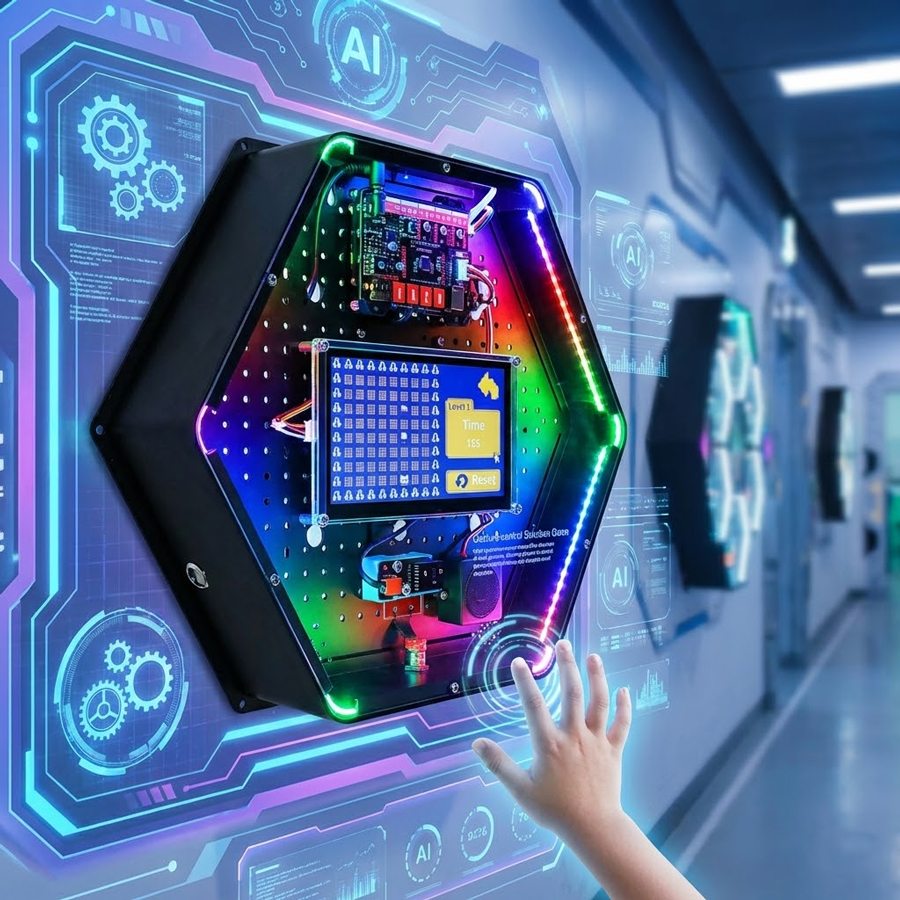
Never adopt AI features just for the sake of novelty. Assess whether an AI feature actively deepens understanding of STEM concepts. Does facial recognition actually teach biology, or does it merely act as a superficial engagement tactic? The technology must serve a distinct pedagogical purpose. If you can teach the same concept better with a physical mechanical model, use the mechanical model.
Look at successful curriculum alignment. Effective AI interactive exhibits should directly support Next Generation Science Standards (NGSS). For example, an AI simulation that allows students to manipulate genetic variables and instantly see phenotypic changes directly supports NGSS heredity standards. It makes abstract concepts visible and testable. It allows visitors to run hundreds of virtual experiments in minutes.
AI weaves a continuous narrative across multiple disconnected exhibits. A visitor scans an RFID wristband at various stations. The AI remembers their previous choices. It alters the narrative at the next station based on those choices. This creates a unified, personalized visitor journey through the entire museum. The visitor becomes the protagonist of the scientific story.
AI systems also generate personalized digital takeaways. A visitor might run a complex aerodynamics simulation. The system automatically emails them a custom video of their specific simulation results. It includes tailored reading materials based on the areas where they spent the most time. This supports home education and extends engagement far beyond the museum walls.
AI improves accessibility dynamically. Computer vision systems detect when a user leans close to a screen. The system automatically increases text size and contrast. It can trigger localized audio descriptions based on user proximity. User profiles stored on RFID tags can instruct the exhibit to switch to a high-contrast mode automatically. It can also disable flashing lights for photosensitive visitors.
Implement real-time translation for diverse demographics. AI can generate sign language avatars on screen. It translates spoken audio into multiple languages instantly via localized headsets. This ensures that language barriers do not prevent scientific discovery.
Be aware of algorithmic bias. Computer vision systems sometimes fail to recognize certain demographics. They often struggle to track users in wheelchairs due to different skeletal profiles. You must test these systems with diverse user groups to ensure equitable access. Do not rely solely on vendor assurances regarding accessibility tracking.
You need a centralized Content Management System (CMS). Curators must update AI prompts, datasets, and digital assets without writing code. A closed, hard-coded system becomes obsolete the moment scientific consensus changes. Your staff needs a simple dashboard to update the knowledge base. If a new dinosaur species is discovered, your educators should be able to add it to the digital docent's brain in five minutes.
Evaluate the ease of scaling. A successful single-exhibit prototype should integrate easily into a museum-wide digital ecosystem. Modular software architecture allows you to deploy the same underlying AI logic to different physical exhibits across the building. You build the core engine once and reskin it for different scientific disciplines.
Museum environments destroy fragile hardware. You must adhere to the "million-touch" standard. Commercial-grade hardware features reinforced glass, dust-proof enclosures, and heavy-duty cooling fans. Exhibit chassis get incredibly hot, and thermal throttling will crash your AI software. Consumer-grade hardware fails rapidly under continuous public use. A standard television will burn out in months if left on ten hours a day.
Consider the trade-off between bespoke and standardized hardware. Bespoke, proprietary hardware looks unique but requires expensive custom repairs. Standardizing on modular, easily replaceable commercial displays and sensors reduces downtime. If a standardized sensor fails, your floor staff can swap it out in ten minutes. You do not want an exhibit sitting dark for three weeks waiting for a custom part to ship.
Capturing visitor data carries severe legal and reputational risks. Facial recognition and voice recordings require explicit consent. Processing this data carelessly violates privacy laws and breaches public trust. You must treat visitor data as a toxic asset. Hold it for the absolute minimum time required to execute the interaction.
Localized edge processing offers massive compliance benefits. The system analyzes a face or voice locally, triggers the exhibit response, and instantly deletes the data. Nothing goes to the cloud. Cloud processing requires robust data anonymization and encryption, increasing your liability footprint.
Follow a strict COPPA (Children's Online Privacy Protection Act) compliance checklist for interactive exhibits:
Acknowledge the hidden operational realities. Projectors and depth sensors require daily calibration routines. A slight bump to a ceiling mount misaligns an entire projection map. Software patching and API subscription updates require dedicated IT hours. These operational tasks dictate the long-term viability of the installation.
Upskill your internal IT and floor staff. They must know how to troubleshoot AI interactive exhibits. Relying entirely on external vendor Service Level Agreements (SLAs) results in prolonged exhibit downtime. Train floor staff to perform hard resets, recalibrate optical sensors, and update CMS content independently. Give them a hidden button combination on the touchscreens to bring up alignment grids and adjust corner pinning without calling IT.
Generative AI carries the risk of providing scientifically inaccurate information to visitors. In an educational context, this is unacceptable. An AI hallucinating facts about planetary orbits damages institutional credibility. You cannot allow a digital docent to teach bad science.
Deploy strict mitigation strategies. Use precise system prompting to define the AI's persona and boundaries. Implement semantic routing to direct specific questions to pre-approved, hard-coded answers rather than generative responses. Establish human-in-the-loop review processes. Have educators review logged visitor interactions weekly to identify and correct any AI drift. If the AI starts giving weird answers about gravity, your educators need to catch it immediately.
Never buy a complex AI system off a rendering. Advocate for a "sandbox" approach. Test low-fidelity prototypes with actual museum visitors before committing to final fabrication. Cardboard mockups with basic projection can reveal critical flaws in user interface design. Kids will find ways to break the logic that engineers never considered.
Use a phased deployment plan to reduce risk:
AI interactive demonstrations are not a magic fix for declining attendance. However, when rigorously aligned with educational goals and operational realities, they offer unprecedented personalization. They transform passive observation into active, adaptive learning. They allow visitors to engage with complex scientific concepts on their own terms.
Prioritize vendors who demonstrate transparent data practices. Look for partners who offer open-architecture CMS solutions. They must possess a proven track record in physical fabrication, not just software development. The physical durability of the installation matters just as much as the code running it.
Take these clear next steps to move forward:
A: Hardware generally requires a refresh cycle every three to five years due to continuous physical wear and optical sensor degradation. The software logic and AI models require continuous updates. Decoupling the software from the physical casing extends the overall lifespan. This allows you to upgrade the digital experience without rebuilding the physical structure.
A: Utilize edge computing to process data locally. If an exhibit uses computer vision or voice recognition, the system should analyze the input, trigger the response, and delete the data instantly at the point of capture. Avoid storing any personally identifiable information. Never send raw biometric data to external cloud servers.
A: Yes, by utilizing Retrieval-Augmented Generation (RAG). This architecture restricts the AI from generating answers from the open internet. It forces the AI to pull information exclusively from a closed-domain knowledge base filled with verified scientific facts provided by your curators. This prevents hallucinations and ensures educational accuracy.
A: An interactive wall typically uses basic motion tracking to trigger localized projections on a single flat surface. An AI-driven immersive environment utilizes spatial computing to track multiple users across an entire room. It learns visitor behavior, utilizes responsive lighting, and dynamically alters the overarching narrative based on crowd movement.
A: External vendors handle deep technical support and major software overhauls. However, you absolutely need trained floor staff. Your in-house team must be capable of performing daily optical calibration, executing hard resets, and managing basic network troubleshooting. This prevents extended exhibit downtime during peak visitor hours.
A: Advanced science museum exhibits use computer vision to detect user height and proximity. The system can lower digital interface elements for wheelchair users automatically. It can also trigger high-contrast modes or audio descriptions based on user behavior or pre-set profiles linked to RFID wristbands.


